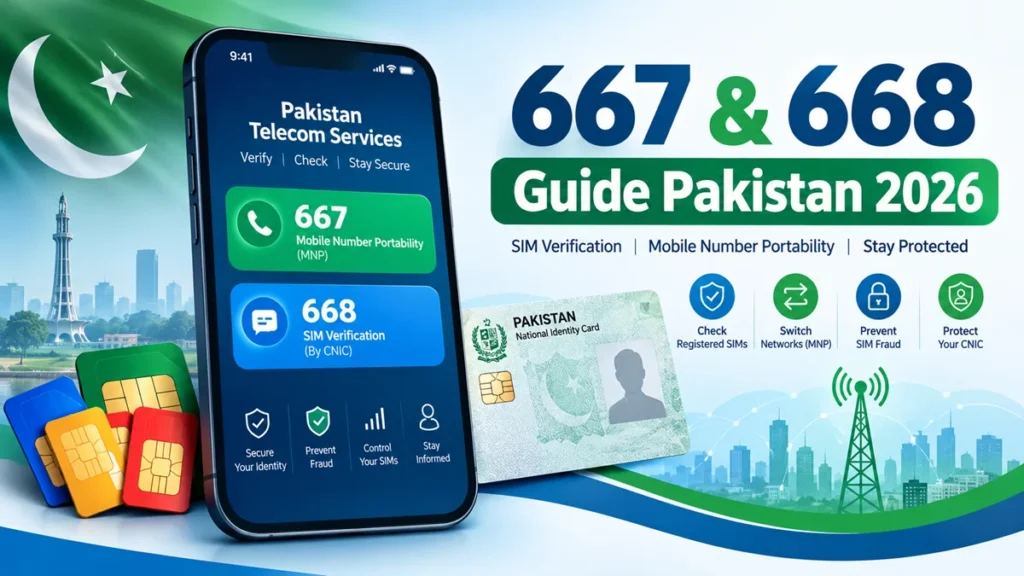
In Pakistan, the 667 and 668 shortcodes are associated with two different mobile services: mobile number portability (MNP) and SIM verification by CNIC. Understanding the difference can help you manage your mobile number, review SIM registrations, and protect yourself against unauthorized use of your identity.
The most important distinction is that 668 is used to check SIMs registered against a CNIC, while 667 is used in the number-porting process. Ufone and Jazz both document the use of the SMS keyword MNP sent to 667 as part of their porting procedures.
Ufone 5G
+1
This guide explains how these services work, how to check your SIM registration information, and what to do if you suspect unauthorized SIM activity.
For Age Calculator Visit This Site: https://agemeter.online/
What Is the 668 SIM Verification Code?
The 668 service is associated with Pakistan’s CNIC-based SIM verification system. It helps users check how many SIM connections are registered against an identity number across mobile networks.
Pakistan’s telecom security guidance recommends periodically checking SIM registrations and reporting connections that have been issued without the person’s authorization.
NTCERT
Purpose of the 668 Service
The primary purpose of a CNIC SIM check is to help people review mobile connections registered in their names. This is useful because a SIM registered against your identity may create security or accountability concerns if you did not authorize it.
The service can help you:
- Review the number of SIM connections registered against your CNIC.
- Identify a registration count you do not recognize.
- Decide whether you need to contact a mobile network operator.
- Take action if you suspect unauthorized SIM registration.
- Monitor your registration information as part of your personal security routine.
Remember that a registration count alone does not establish fraud. If something looks unfamiliar, confirm the details with the relevant operator.
How to Check SIMs Registered Against a CNIC
A commonly documented method is to send your CNIC number to 668 by SMS. Before using this method, confirm the current instructions and charges with PTA or your mobile operator.
- Open the SMS or Messages application on your phone.
- Enter your 13-digit CNIC number in the format requested by the service.
- Send the message to 668.
- Review the response you receive.
- If the registration count appears incorrect, contact the relevant network operator for verification.
For example, a CNIC format may look like 3520112345671. This is an illustrative number, not a real person’s registration information.
Privacy tip: Use your own CNIC for routine checks. Avoid sharing identity numbers or screenshots containing personal information publicly.
What Information Might You Receive?
The exact response depends on the current service and its implementation. A CNIC-based SIM verification response may provide registration counts or network-level information.
Do not assume that the response will always include every mobile number, the registered owner’s full details, or a complete ownership history. Confirm what information is currently provided through official channels.
Charges, Availability, and Limitations
Check the latest applicable charges before sending your request. Service fees and procedures can change, and an older online guide may not reflect current arrangements.
Other limitations may include:
- Temporary service interruptions.
- Delayed SMS delivery.
- Differences between registration-count information and complete ownership records.
- The need to contact an operator to resolve a disputed registration.
If no response arrives, verify the correct procedure rather than repeatedly sending messages.
What Is the 667 Code in Pakistan?
The 667 shortcode is used in Pakistan’s Mobile Number Portability (MNP) process. MNP allows a customer to move a mobile number from one network to another while retaining the same number.
Official operator instructions describe sending the keyword MNP to 667 to begin the process. Ufone, for example, says the reply contains information such as the mobile number, name, CNIC and SIM number; the next step depends on the operator receiving the porting request.
Ufone 5G
Purpose of the 667 Service
People generally use 667 when they want to change mobile networks without changing their established phone number.
For example, a customer may want to move to another operator because of:
- Better network coverage in their area.
- More suitable call, SMS or data packages.
- Better connectivity at work or home.
- Customer service preferences.
- A different set of available mobile services.
The porting process is not the same as checking how many SIMs are registered against a CNIC.
How to Use 667 for Mobile Number Portability
The exact procedure varies by receiving operator. A typical process includes these steps:
- Use the mobile number you intend to port.
- Compose an SMS containing
MNP. - Send it to 667, following the instructions of your intended network.
- Read the reply carefully and confirm that the information is correct.
- Follow the receiving operator’s current instructions to submit the request.
- Complete any required identity and biometric verification through an authorized channel.
- Wait for confirmation that the number has been transferred.
For example, Ufone documents forwarding the information received from 667 to 76333 when porting to Ufone. Jazz publishes its own process and receiving number. These details should not be treated as interchangeable across all networks.
Ufone 5G
+1
Important: Sending a message to 667 is a step in a porting process, not proof that a number has already been transferred.
Porting Authorization and Security Precautions
Mobile number portability involves personal subscriber information. Protect that information throughout the process.
- Only start a porting request when you intend to change networks.
- Check that the information returned by the service belongs to your number.
- Never share verification codes or sensitive messages with an unsolicited caller.
- Do not approve a porting request you did not initiate.
- Contact your current operator promptly if you receive an unexpected porting-related message.
An unexpected message can have more than one explanation, so investigate it with your operator rather than assuming fraud is confirmed.
Charges and Processing Time
The charges and processing time depend on the operator, the type of connection and the current terms.
For example, Jazz publishes its own MNP charges and processing requirements, while Ufone provides a separate port-in procedure. This means a single price or completion time should not be presented as universal for every Pakistani network.
Troubleshoot Issues
+1
Before beginning, confirm the current charges, eligibility requirements and expected timeline with the network you plan to join.
Difference Between 667 and 668
The two shortcodes serve different purposes. Knowing which one to use can save time and help you avoid confusion.
| Feature | 667 | 668 |
|---|---|---|
| Main purpose | Mobile number portability | SIM registration verification |
| Typical use | Starting an MNP request | Checking SIMs registered against a CNIC |
| Method | SMS using MNP, according to operator instructions | CNIC-based SMS verification, subject to current instructions |
| Main audience | Customers changing networks | People reviewing SIM registrations |
| Information involved | Subscriber information for porting | SIM registration information |
| Main precaution | Protect porting and verification information | Protect your CNIC and report unfamiliar registrations |
The 667 process is documented in official operator guidance, while Pakistan’s cybercrime guidance identifies 668 as a method for checking SIMs issued against a CNIC.
Ufone 5G
+1
How to Check SIMs Registered on Your CNIC in Pakistan
If you want to check the SIM registration status associated with your identity, use a recognized verification channel.
Method 1: Use the 668 SMS Service
The commonly documented procedure is to send your CNIC number to 668. Confirm the current instructions before using the service.
- Open the messaging application on your phone.
- Enter your CNIC number in the required format.
- Send it to 668.
- Review the response for registration information.
- Contact your network operator if the result raises concerns.
This method is useful for an initial check, but it may not provide every detail needed to resolve a disputed SIM registration.
Method 2: Use PTA’s Official SIM Information System
You can also look for the official SIM Information System through the Pakistan Telecommunication Authority’s website.
Use the official PTA website: Pakistan Telecommunication Authority.
Navigate to the relevant consumer or SIM information service and follow the current instructions. Check that the website is genuinely operated by the authority before entering personal information.
Avoid unfamiliar websites that promise complete SIM ownership records in exchange for your CNIC, phone number or payment.
Method 3: Contact Your Mobile Network Operator
If you need to investigate a particular SIM, contact the network to which the connection belongs.
You may be asked to provide identification or complete biometric verification before the operator can investigate or change a registration.
Use the operator’s official website, customer support service or authorized franchise. Ask how to dispute a connection that you believe has been registered without your permission.
Understanding Your SIM Registration Results
A registration result needs to be interpreted carefully.
- Expected result: The registration information is consistent with the connections you recognize.
- Unexpected count: The number of connections differs from what you expected.
- Unfamiliar connection: You suspect that a SIM may have been registered without your authorization.
- Unclear result: The response does not provide enough information to identify the issue.
An unexpected count is a reason to investigate, not conclusive proof of identity theft.
How to Identify and Report an Unauthorized SIM
Unauthorized SIM registration can create privacy and security concerns. Pakistan’s telecom cybersecurity guidance advises checking registrations and reporting illegally issued connections.
NTCERT
Step 1: Confirm the Registration
Check the result again through a recognized channel if necessary. Contact the relevant network operator and explain that you do not recognize a registration.
Do not publish your CNIC or the suspected SIM details on social media to seek help.
Step 2: Contact the Mobile Network
Ask the operator to investigate the connection and explain its procedure for disputing ownership.
Keep any complaint reference number, relevant messages and information about the date you reported the problem.
Step 3: Request Appropriate Action
If the operator confirms an unauthorized registration, ask what steps are available to correct the record, block the connection or resolve the ownership issue.
The required process may involve identity verification or a visit to an authorized service centre.
Step 4: Escalate Through Official Channels
If the issue is not resolved, consult PTA’s official complaint resources at pta.gov.pk.
If the matter involves suspected identity theft, financial fraud, threats or other criminal activity, seek guidance from the appropriate law-enforcement or cybercrime reporting authority.
Use official contact details rather than telephone numbers supplied by unknown callers.
Step 5: Monitor the Situation
After the issue has been addressed, check your registration information again when appropriate. Keep records of your communications and any confirmation that the disputed registration has been resolved.
SIM Security Tips for Pakistani Mobile Users
SIM security is not limited to checking your CNIC. Your mobile number may also be used to receive account recovery messages and verification codes.
Protect Your CNIC Information
Share a copy of your CNIC only when necessary and with a legitimate organization. When an organization accepts it, consider whether it permits a purpose-specific watermark that identifies the intended use.
Never send a photo of your identity document to an unknown person who promises to verify SIM ownership for you.
Avoid Unauthorized Biometric Verification
Only complete biometric verification for a legitimate transaction that you understand. Be cautious if someone asks you to provide a fingerprint for an unexplained purpose or promises a free service in exchange for your biometric information.
Pakistan’s cybercrime guidance specifically warns about SIM issuance through improper verification practices.
NTCERT
Never Share Sensitive Verification Codes
A caller may claim to represent PTA, a mobile operator, a bank or a delivery company. Do not share a one-time password, account recovery code or sensitive porting information with an unsolicited caller.
If you are unsure whether a request is legitimate, end the conversation and contact the organization using its official contact information.
Respond Quickly to Unexpected Porting Messages
If you receive a porting-related message that you did not expect:
- Do not approve a request you did not initiate.
- Contact your current network operator.
- Ask whether a porting request has been submitted for your number.
- Follow the operator’s instructions to secure your connection.
- If you suspect related account or financial fraud, contact the affected service provider as well.
An unexpected message is a warning sign worth investigating, but it does not by itself prove that a successful port has occurred.
Buy SIMs Through Authorized Channels
Use authorized mobile network outlets and complete the required subscriber verification. Do not purchase a SIM registered in a stranger’s name or allow another person to use a SIM registered against your identity without understanding the risks and applicable rules.
Keep Your Accounts Secure
Protect the email address and financial accounts linked to your phone number. Use strong passwords, enable additional security options where available, and keep your account recovery details up to date.
Common Problems With 667 and 668
Users sometimes encounter errors or confusing responses when trying to use SIM verification or mobile number portability services.
No Reply From 668
Possible reasons include a temporary network issue, incorrect message format or a change in the service’s instructions.
What to do:
- Confirm the correct current procedure.
- Check that your mobile connection can send SMS messages.
- Verify any applicable charges.
- Contact your operator or consult PTA’s official resources if the problem continues.
Invalid Message or Unexpected Response
Make sure you are following the instructions for the particular service. The 668 verification procedure and the 667 porting procedure are different.
For the documented MNP process, the message keyword is MNP. For CNIC-based SIM verification, follow the current instructions for 668 rather than copying an old example from an unrelated website.
The 667 Message Does Not Arrive
Check that you have followed your intended receiving operator’s instructions and that your current number can send and receive messages.
If the problem continues, contact the operator handling your porting request. Do not assume that sending an SMS guarantees successful porting.
Porting Takes Longer Than Expected
The time needed for a number transfer depends on the operator’s current process, eligibility requirements and any outstanding issues.
Ask the receiving network to confirm the status of your request and whether any additional verification is required.
The Registration Count Looks Incorrect
A registration count may not give enough detail to identify the specific connection causing concern. Contact the relevant operator to investigate the registration and learn what information is available to you.
Frequently Asked Questions About 667 and 668
1. What is the difference between 667 and 668 in Pakistan?
667 is used in the mobile number portability process, while 668 is associated with checking SIM registrations against a CNIC. They are intended for different purposes.
2. How can I check SIMs registered on my CNIC?
A commonly documented method is to send your CNIC number to 668 by SMS. You can also consult PTA’s official SIM information resources. Confirm the current procedure before using either method.
3. Is the 668 SIM verification service free?
Do not assume that the service is always free. Confirm current SMS charges and any applicable fees with your mobile operator or PTA before making a request.
4. Can I check SIMs registered against another person’s CNIC?
For privacy and security, the safest approach is to check your own CNIC or assist another person with their knowledge and permission. Access to detailed registration information may be restricted, even if a service provides a registration count.
5. What should I do if I find an unknown SIM registered against my CNIC?
Contact the relevant mobile network operator and request an investigation. Keep a complaint reference number and escalate unresolved issues through PTA’s official complaint channels.
6. What does an unexpected porting message mean?
It may indicate a porting request, a mistaken message or another account-related event. Contact your current mobile operator promptly to confirm whether a request exists and secure your number if necessary.
7. Where can I verify the latest PTA SIM verification instructions?
Visit the official PTA website and consult your mobile operator’s official support pages. These sources are preferable to outdated third-party instructions.
8. Does sending an SMS to 667 complete the network transfer?
No. Sending MNP to 667 is a step in the porting process. You must follow the receiving operator’s remaining instructions and receive confirmation of the transfer.
Conclusion
The Complete 667 & 668 Guide Pakistan 2026 comes down to understanding two different services. The 668 service is associated with checking SIM registrations against a CNIC, while 667 is used in mobile number portability.
If you want to check your registration information, use recognized verification channels. If you plan to change networks, follow the current instructions from the receiving operator.
Protect your CNIC, avoid sharing verification codes, and use official telecom channels to resolve SIM ownership concerns. Regular checks and careful handling of personal information can help you maintain better control over your mobile identity.